Your family photo drive, sorted by what happened.

Events, people and places, from the drive you already have. Nothing gets moved or uploaded.

Free to try on your whole drive · $59 once ($59.99 on the Mac App Store) to unlock · macOS 14+, Apple silicon
Or get it from the Mac App Store

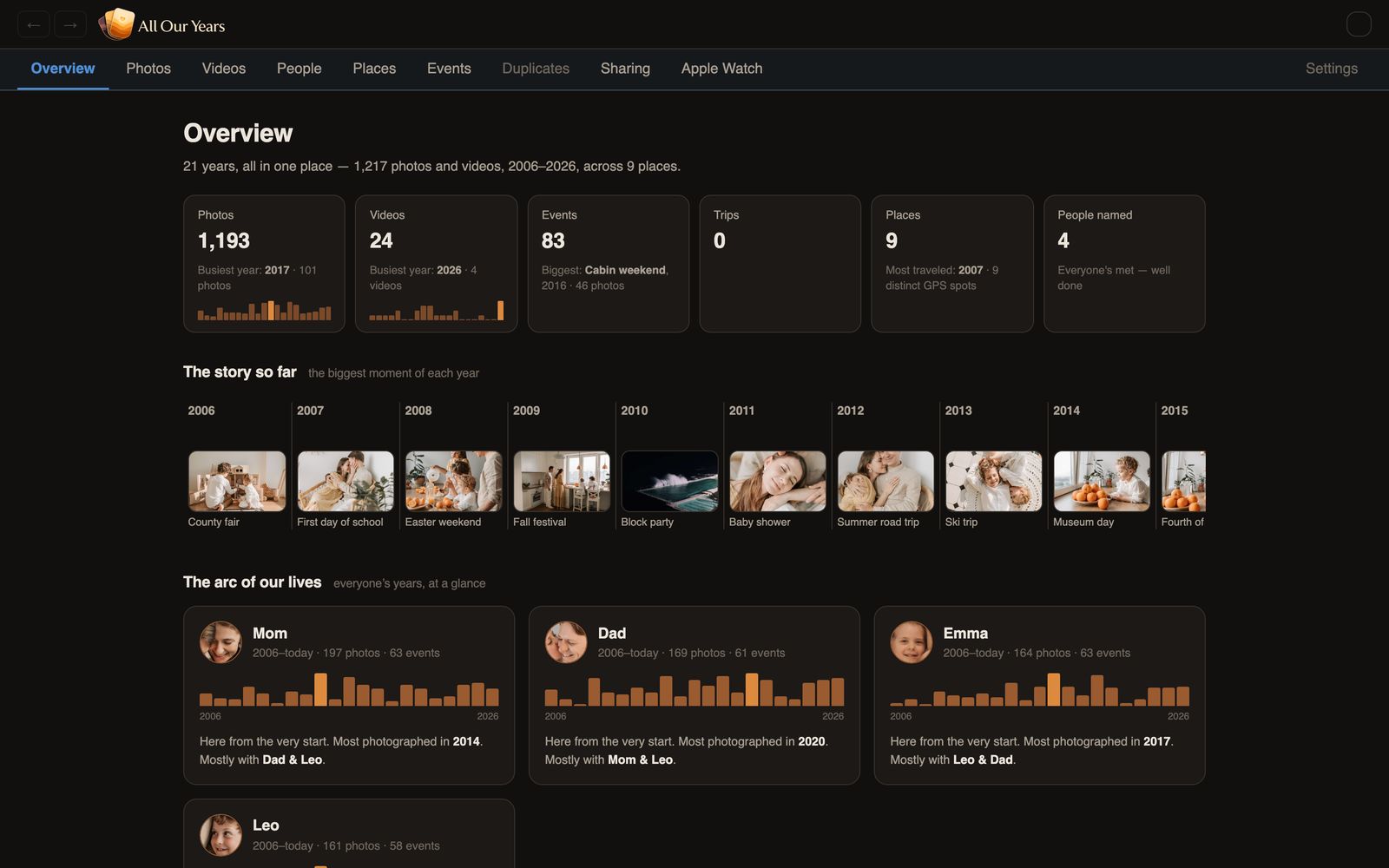
All Our Years overview: the story so far, and each person's years at a glance
314,391
photos and videos
1998–2026
28 years
1.7 TB
on one external drive
Minutes
to the first look; the full read runs overnight

We built it for one drive

The early folders had names. After about 2016 it was mostly phone backups nobody had opened. We didn't want to upload it anywhere to get it sorted, so we wrote an app that reads it in place.

What it does

Events named in your voice

Titles each event with the date, the place and what happened, in the style of your own folders.

A timeline for every person

Every photo of one person, in order, from baby pictures on.

Moments that find you

Anniversaries and "this week in 2011" photos show up on their own.

Search by what's in the photo

Type "orange juice" or "the blue house" and it finds matching photos.

Private, even from the rest of the family

Hide any photo behind a password.

Places we've been

A map of everywhere the photos were taken. Works offline.

Also in the app: a Fun Box for when the family's over, and Apple Watch albums. All features →

It names the events you never got to

It learns from folders you did name, like 2012-04 Theo's 1st Easter, and names the rest to match.

What's on the drive

IMG_8203.HEIC
IMG_8207.HEIC
IMG_8214.MOV
IMG_8226.HEIC
+ 143 more · Apr 12–13, 2019 · same backyard

What All Our Years sees

One event · 147 photos, 3 videos
Grandma & Grandpa's backyard
Whole family present · eggs in 31 shots
Suggested name, in your style 2019-04 Easter at Grandma's

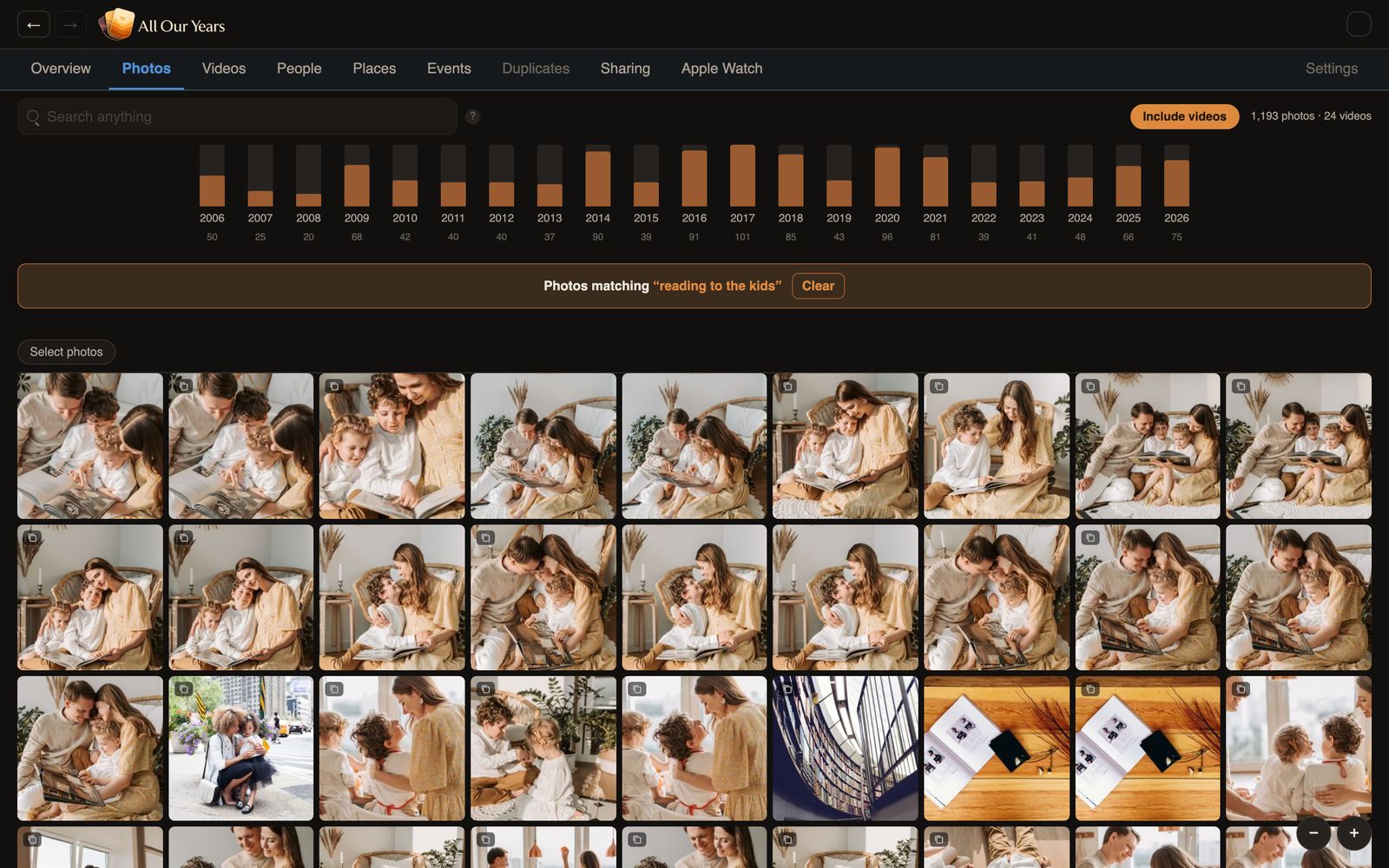
Find a photo by describing it

Demo archive: free Pexels photos, made-up names.

Search results for reading to the kids

Searching “reading to the kids.”

Your photos stay on your Mac

Nothing is uploaded. Optional Family Circle sharing is end-to-end encrypted.

  • Your drive is opened read-only. The app never writes to it.
  • Faces, scenes and search are all worked out on your Mac.
  • No account to create.
  • Works with the Wi-Fi off, maps included.

Pricing

Free to try. Pay once to see everything.

Free
$0
No time limit
  • Reads your whole drive, at full quality
  • 100 photos from every year, plus the 10 earliest videos, fully viewable
  • Everything else visible but blurred, so you can see exactly what unlocking gets you
Try it on your drive
Full version
$59 one-time
For up to 3 Macs. Family pack for 5 Macs: $79. On the Mac App Store the unlock is $59.99 once and covers every Mac signed in with your Apple ID; the Family Pack is for the direct download.
  • Every event, every person, every year
  • TV, iPhone and household viewing included
  • The Fun Box and Apple Watch albums
  • No renewal. It never re-locks.
Start free, unlock in the app

Want relatives in other cities to see the archive too? Family Circle adds end-to-end encrypted sharing for $49 a year. It's a subscription because it runs on a server.

Questions

Will it change my files or folders?

No. It opens your archive read-only and keeps its index and thumbnails on your Mac's internal disk. Your drive stays byte-for-byte exactly as you left it. Suggested event names live in the app, not in your folders.

Will it run on my Mac?

It needs an Apple silicon Mac (M1 or later) on macOS 14 or newer, and 8 GB of memory is enough. The first read of the drive is the only heavy part: a 300,000-photo archive on an ordinary USB hard drive takes about one night, and an SSD is up to 10× faster. After that it browses like a document viewer, and you can unplug the drive and keep browsing thumbnails. The index takes a few gigabytes on your Mac.

Do I still need a backup?

Yes. The app never writes to your drive, but one drive is still one fire or one failure away from gone. Keep three copies on at least two kinds of storage, with one somewhere else. Here's the 3-2-1 rule for family photos, and a guide to getting everything off your iPhone.

Does it need the internet?

No. Scanning, understanding, naming, browsing, even the Places map: all of it runs on your Mac and works the same on a plane as it does at home. The network is touched only for housekeeping: checking for app updates, activating a paid license, and the Places map's optional street-detail layer if you leave it on (never your photos, names, or anything else about your archive). The privacy policy lists every one.

More questions →

Try it on your own drive

Free to try. $59 once to unlock everything ($59.99 on the Mac App Store).

307 MB · macOS 14+ · Apple silicon

Prefer the Mac App Store? Get it there